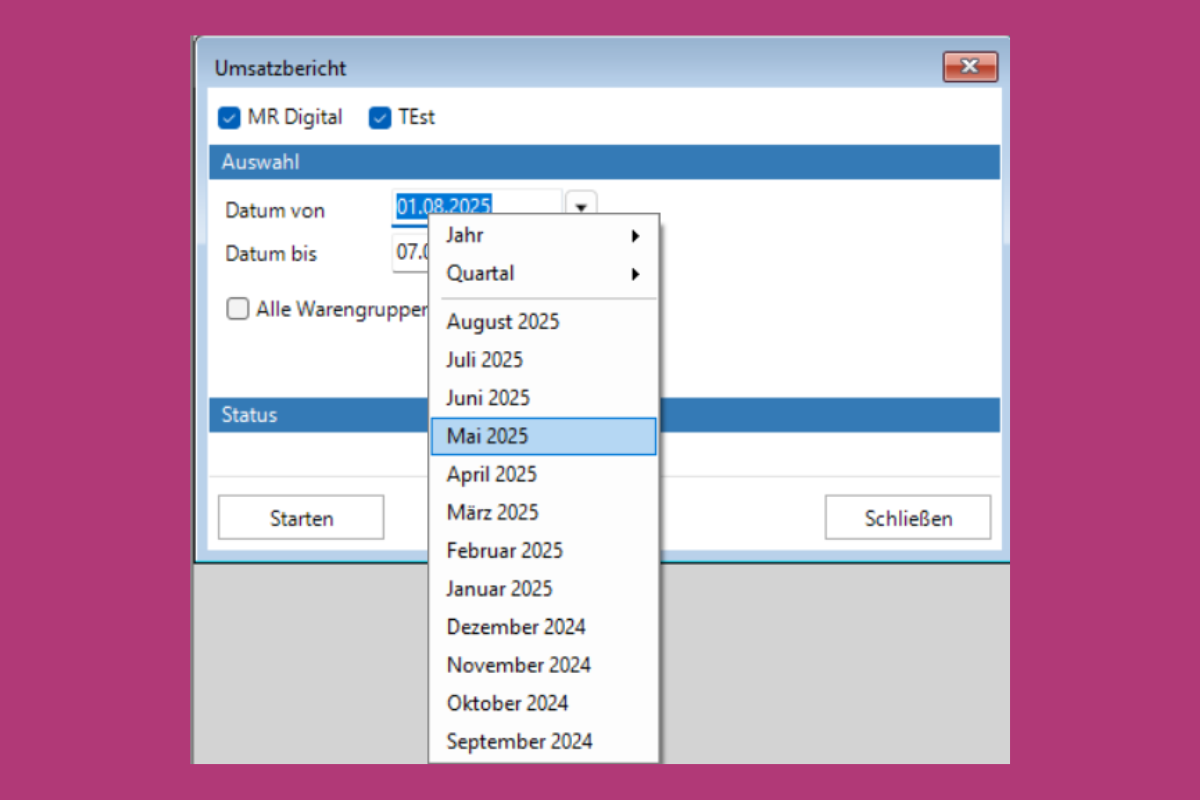
Right-click on the date
In the sales report – and also in the other reports – the date can be conveniently selected with a right mouse click by year, quarter or month. This saves time and the tedious clicking through of calendar days.
You can see what this looks like in the picture above.
Try it out for yourself: Simply right-click in the date field – done!
Want more hacks and instructions?
Then create a free account in the support portal and have quick and easy access to the information you really need.
Do you need instructions or more information on a specific application and can’t find any help on the support portal? Then get in touch with us and write to us at info@mrdigital.ch. We look forward to constantly expanding our support portal for you and all other Aida.X and Aida.Touch users!