Show “open pages” quick functions
With Aida.X you can use two simple quick functions to display which pages are already open in the background:
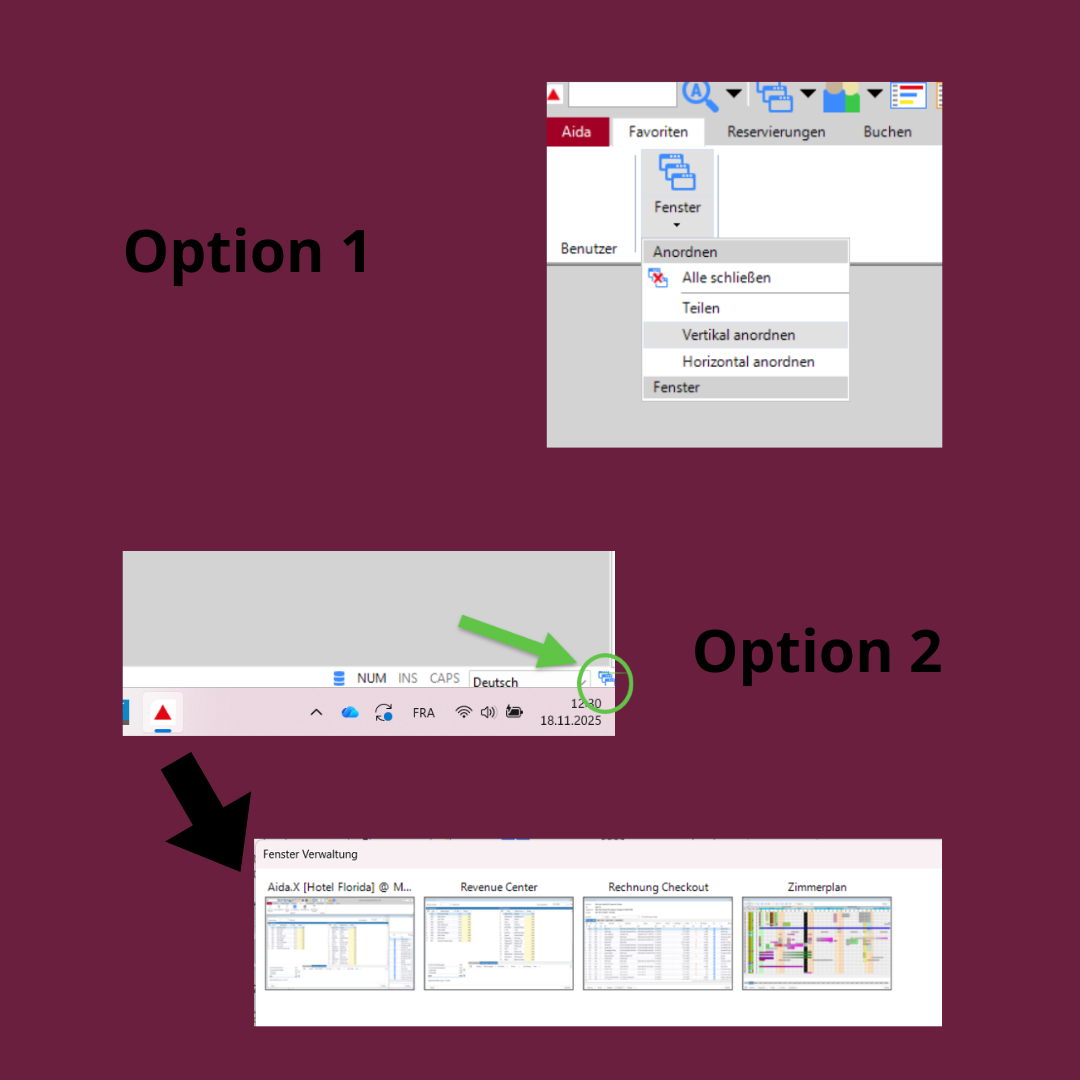
1. at the top left via “Windows” 🖥️
Click on Windows at the top left – a list of all currently open windows will appear there. One click is all it takes to go directly there.
Click on Windows at the top left – a list of all currently open windows will appear there. One click is all it takes to go directly there.
2. click on the window symbol at the bottom right 🗂️
Click on the symbol with several small windows at the bottom right – a preview of all open windows will open. Click on it to go straight to the desired page.
Click on the symbol with several small windows at the bottom right – a preview of all open windows will open. Click on it to go straight to the desired page.
Just give it a try and see how Aida.X can make your day-to-day work easier and more efficient again. 🚀